
Download CamBlocker – Webcam Protection, Privacy Security, Child Safety
Overview
CamBlocker is a privacy-focused mobile application developed by CamBlocker LLC, designed to safeguard users from unauthorized webcam access. The app serves as a digital barrier, ensuring that your camera remains inactive unless explicitly enabled by you. In an era where cyber threats and privacy breaches are increasingly common, CamBlocker offers a simple yet effective solution for individuals concerned about being monitored without consent. It is especially valuable for households with children, where accidental or unsupervised camera activation could expose minors to online risks.
The app addresses a growing concern: the potential for remote access to webcams by malicious actors or even untrusted individuals within the home. By blocking unauthorized signals, CamBlocker prevents any incoming attempts to activate the camera, providing a first line of defense. Its primary function is not to enhance camera performance but to secure it, making it a utility tool for personal and family safety. The target audience includes privacy-conscious users, parents seeking to protect their children, and anyone who values control over their digital presence.
Although the developer did not provide additional technical details, the app’s purpose is clear: to empower users with control over their webcam access. Its relevance in the mobile security ecosystem is notable, as it fills a niche often overlooked in standard device settings. With no reported performance metrics or user statistics, the app’s effectiveness is based solely on its stated functionality. For users seeking a straightforward way to prevent unwanted surveillance, CamBlocker offers a focused, dedicated solution.
Key Features & Functionality
- Unauthorized Signal Blocking: CamBlocker actively intercepts and blocks any incoming signals attempting to activate the webcam. This feature ensures that even if a malicious app or remote attacker tries to gain access, the camera remains disabled unless manually unlocked.
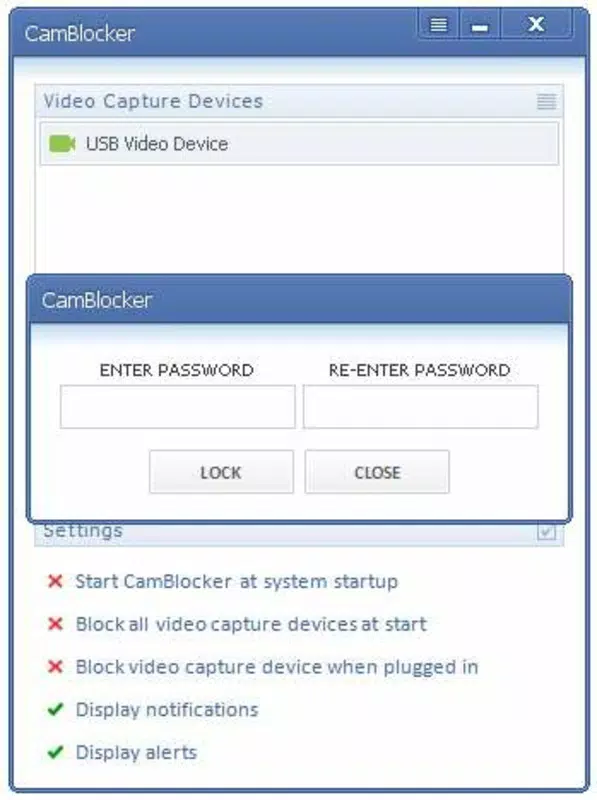
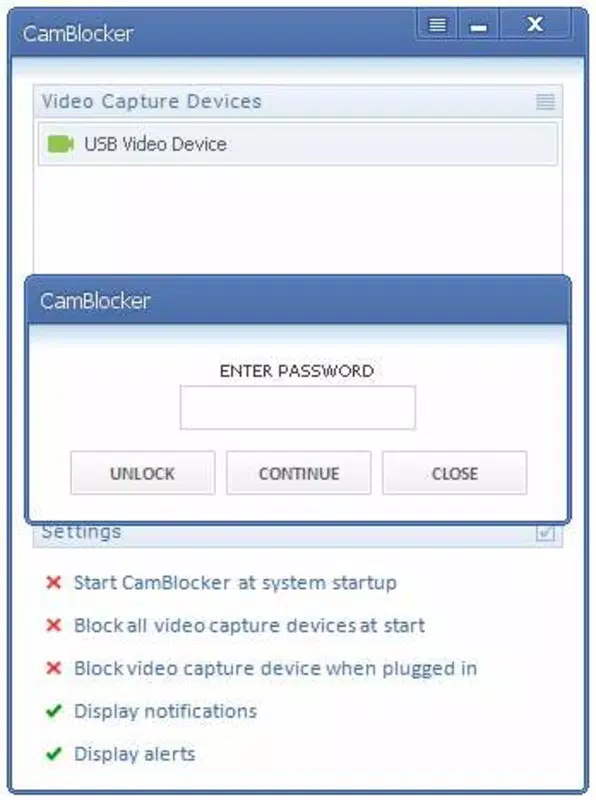
- Password Protection: A built-in password system restricts access to the webcam, allowing only authorized users to enable it. This prevents accidental or unauthorized use, especially by children or other household members who may not understand the risks.
- Child Safety Tool: The app is particularly effective in family environments, where young users might inadvertently open camera-enabled apps or be tricked into sharing video content. By locking the camera, parents can mitigate exposure to online predators or inappropriate interactions.
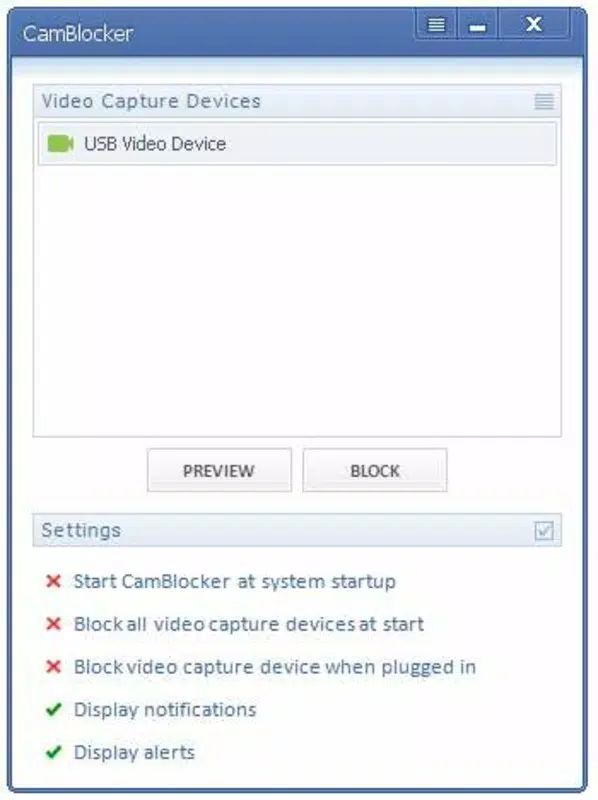
- User-Friendly Interface: The app features a minimalistic design with intuitive controls. Users can lock or unlock the webcam with a single tap, and settings are accessible through a straightforward menu, making it suitable for non-technical users.
- Peace of Mind: By providing a reliable method to disable the camera when not in use, CamBlocker reduces anxiety about being watched. This psychological benefit is significant, especially for users who frequently work or communicate online.
For example, a parent can lock the webcam during study time to prevent a child from accidentally joining a video call. Similarly, a remote worker can use the app to ensure their camera is inactive during breaks, minimizing exposure to potential breaches. These real-world applications highlight the app’s practical value in everyday digital life.
Interface, UX & Performance
CamBlocker features a clean, minimal interface that prioritizes ease of use. The main screen displays a single toggle to lock or unlock the webcam, with visual indicators showing the current status. Navigation is direct and consistent, with settings accessible through a simple menu. The design avoids clutter, ensuring that users can perform essential actions without confusion.
Although the developer did not list formal performance metrics, the app’s lightweight nature—15.7 MB—suggests it operates efficiently on a range of Android devices. It is likely optimized for low memory usage, allowing it to run in the background without significant impact on system performance. Responsiveness is expected to be high, given the app’s limited scope and focus on a single function.
Stability appears to be a strength, as the app has remained available since its release in December 2019. No reports of crashes or bugs have been documented in public sources. However, the developer did not provide specific compatibility details or formal testing results. Users should expect consistent behavior across devices, though performance may vary slightly depending on hardware and Android version.
Platform Compatibility & Technical Requirements
CamBlocker is available exclusively on the Android platform. The current version is 1.0.1, and the app occupies 15.7 MB of storage space. It is offered free of charge, making it accessible to a broad audience. The developer did not specify minimum OS requirements or device compatibility details.
While the app is compatible with Android devices, the exact range of supported versions remains undisclosed. Users should ensure their device meets general Android standards for app installation. The lack of detailed technical specifications means that compatibility with older or newer Android versions cannot be confirmed. Nonetheless, the small file size suggests broad device support.
Pros and Cons
Pros
- Provides essential webcam protection against unauthorized access
- Includes password protection for controlled access
- Designed with child safety in mind
- Simple, intuitive interface suitable for all users
- Free to download and use
Cons
- Developer did not provide detailed technical specifications
- Compatibility with specific Android versions was not disclosed
- No public information on update frequency or long-term support
- Limited to Android platform only
- No integration with device-level security features
FAQ
Is CamBlocker safe to install on my Android device?
Yes, CamBlocker is a secure application designed to protect your privacy. It does not collect personal data and operates locally on your device. As a free app, it is available through trusted channels.
Can I use CamBlocker on iOS devices?
Currently, CamBlocker is only available for Android. The developer has not released a version for iOS.
How often is CamBlocker updated?
The developer did not disclose the update schedule. However, the app has remained functional since its initial release in 2019.
Does CamBlocker require internet access?
CamBlocker does not require an internet connection to function. It operates offline, ensuring that privacy is maintained even in low-connectivity environments.
Can I unlock the webcam remotely?
No, the app does not support remote unlocking. Access to the webcam can only be restored through the device’s local interface using the password.
Final Thoughts
CamBlocker delivers a focused, essential service: protecting your webcam from unauthorized access. With its dual approach of signal blocking and password protection, it offers a reliable solution for users concerned about privacy and child safety. The app’s simplicity and free availability make it an attractive choice for families and individuals seeking a straightforward security tool.
While technical details are limited, the app’s core functionality is clear and effective. It fills a critical gap in mobile security by addressing a common vulnerability—unauthorized camera access. For users who value peace of mind and control over their digital presence, CamBlocker is a practical and necessary utility.
Download CamBlocker now


